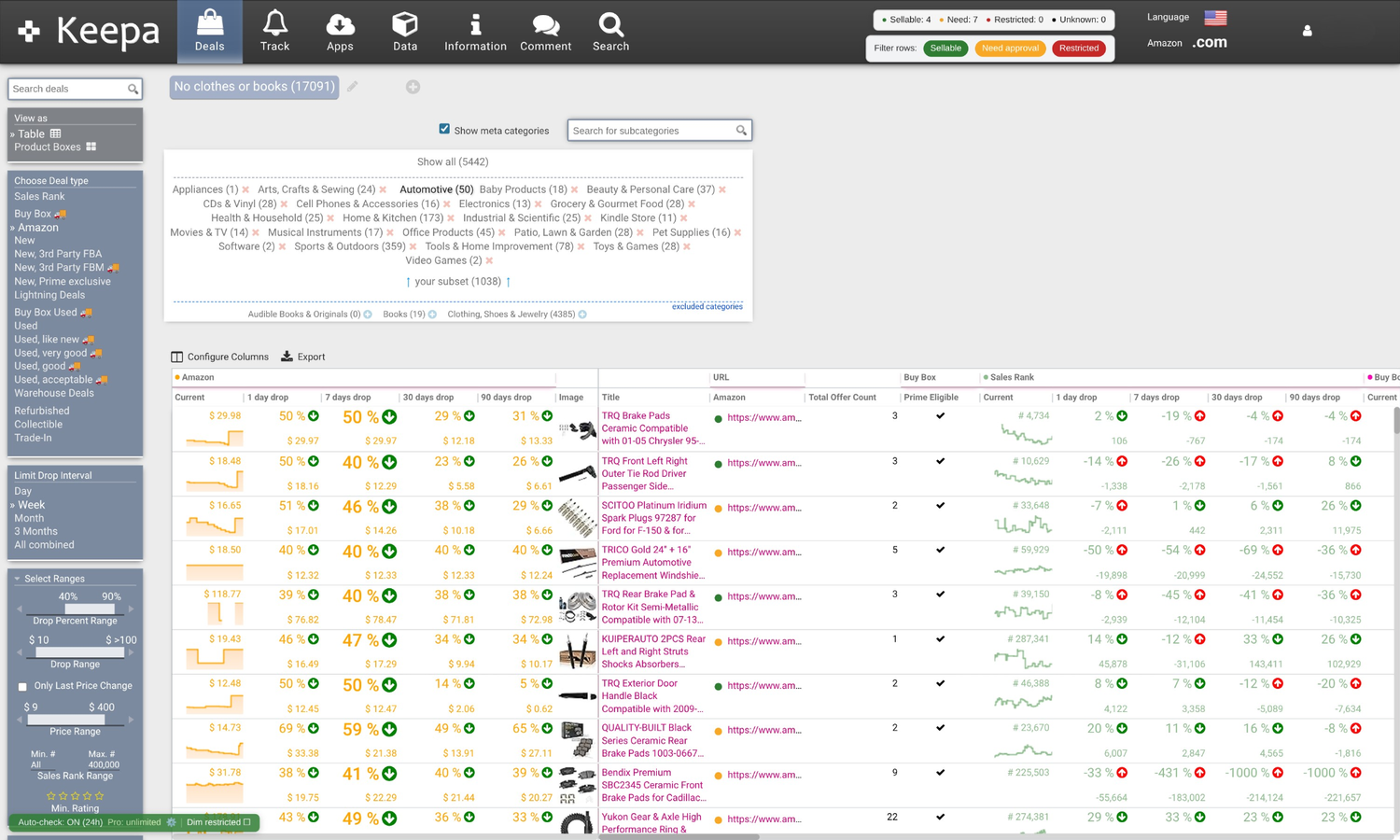
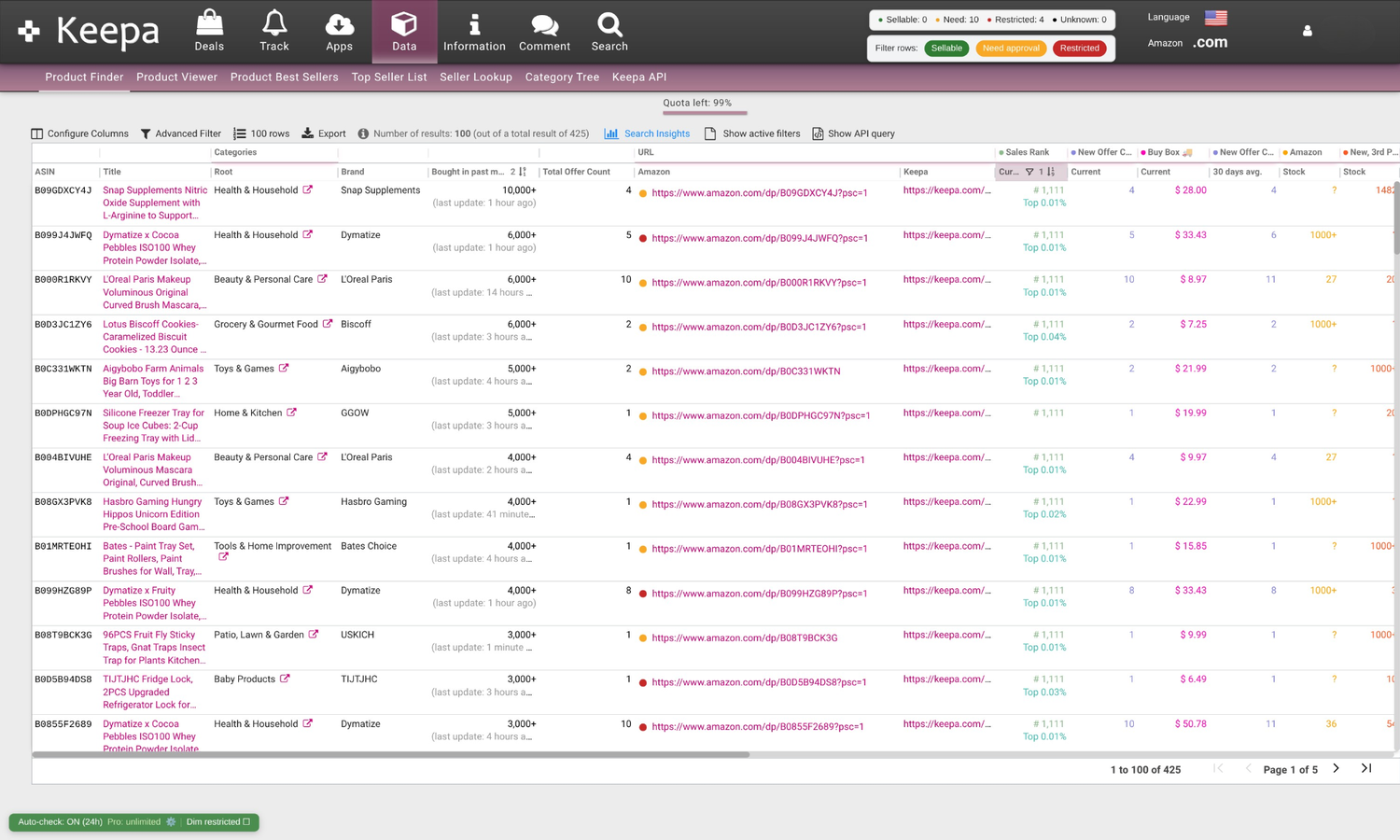
Every ASIN gets a simple dot that matches your actual selling status. Green to go, yellow to review, red to skip – no more opening 20 tabs to find one winner.
Instantly see what you can actually sell on Keepa.
GateKeep adds clean, color-coded dots and badges to your Keepa Product Finder, Deals, and product views so you can skip restricted ASINs and focus on profitable, sellable products in seconds. No data is sent to any other third party, and no Amazon account information is stored or transmitted by GateKeep.
Less clicking, more sourcing. Just faster sourcing sessions and less time clicking gated ASINs.
See GateKeep in action
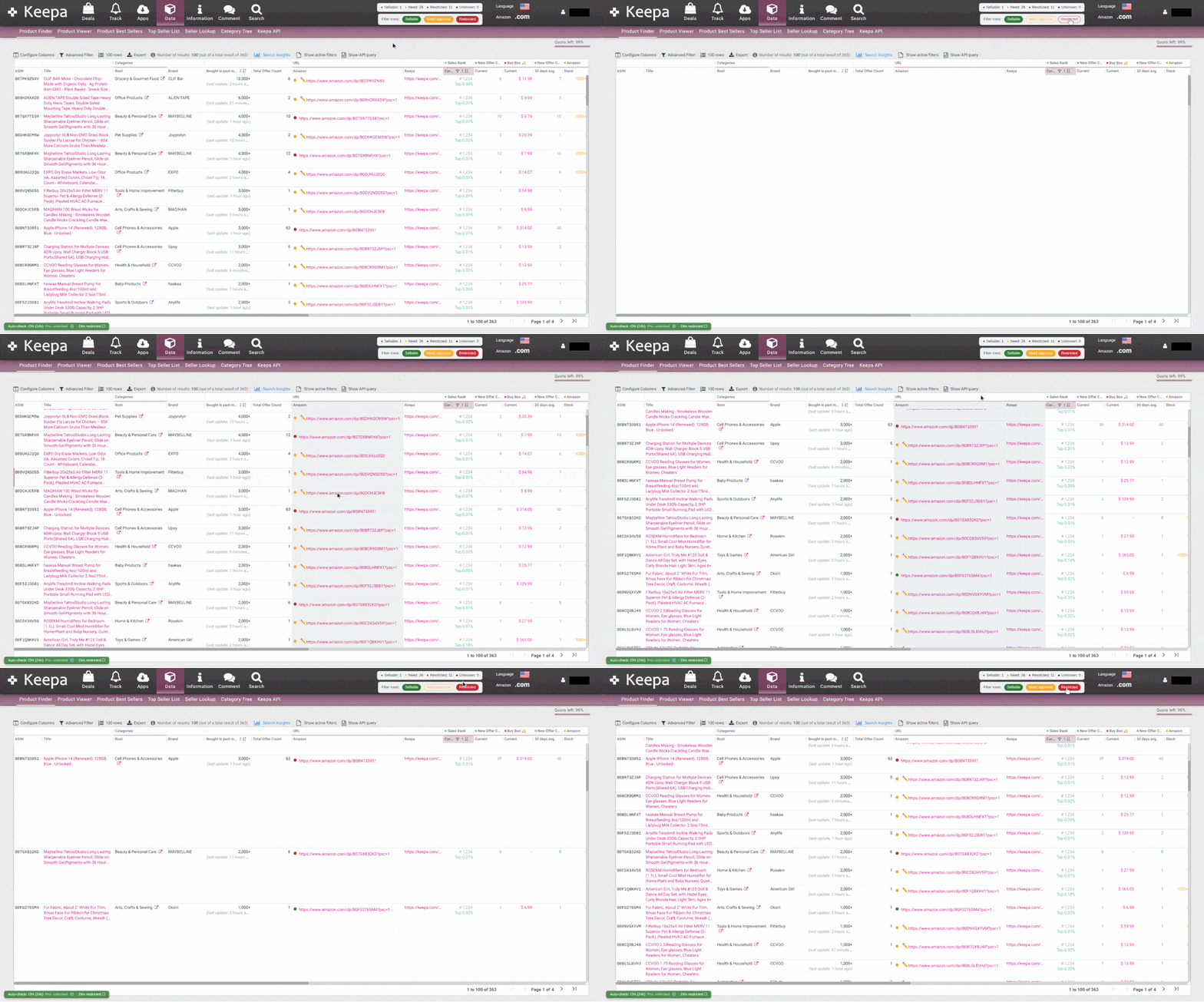
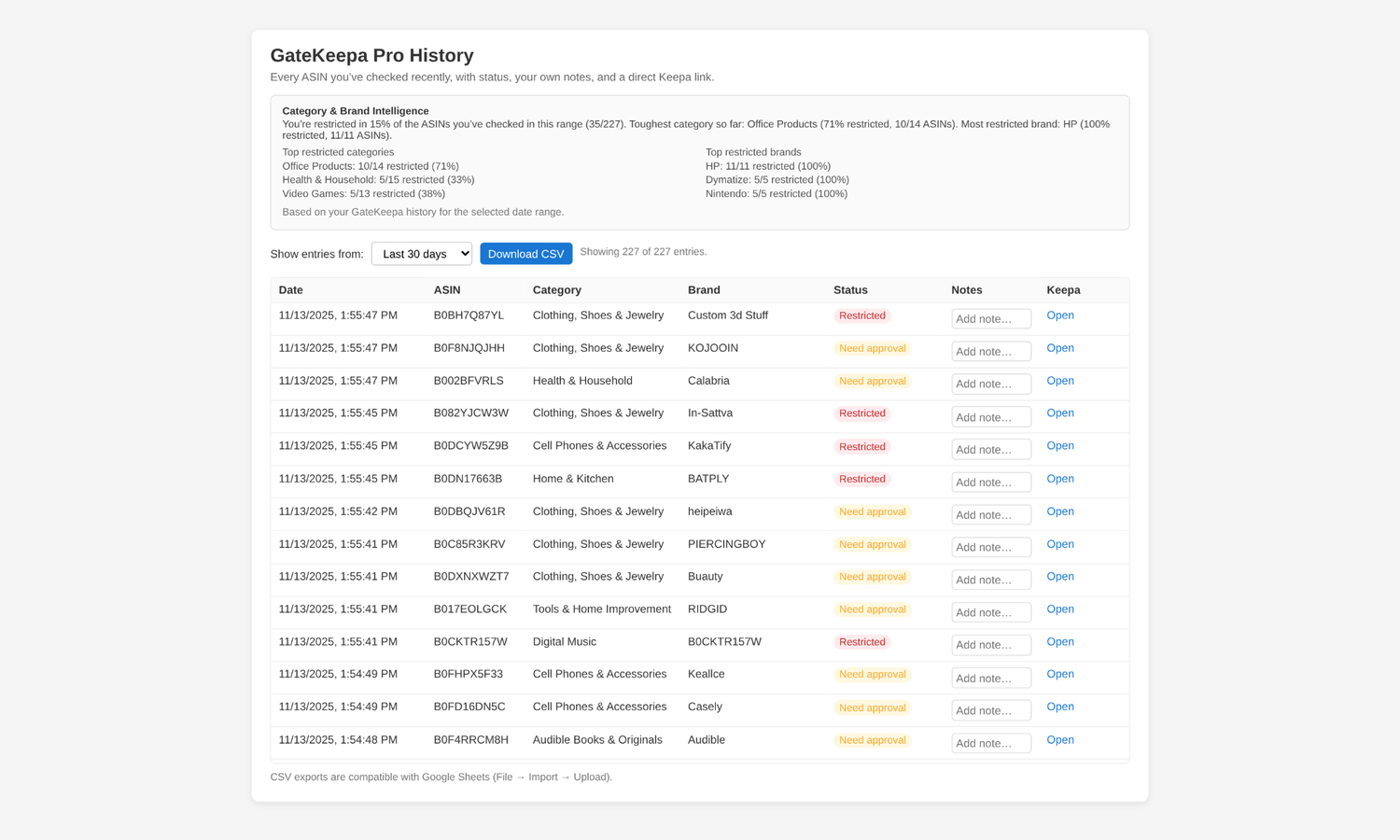
These are real overlays on top of live Keepa pages and your own history – no mock dashboards, just the views you’ll actually use while sourcing.
Built for real-world Keepa sourcing
GateKeep sits quietly on top of Keepa and adds information you need – not a noisy, cluttered UI.
Whether you start in Keepa Deals or Product Finder, GateKeep keeps your dots and badges aligned with the current results – no extra windows or dashboards.
Behind the scenes, GateKeep caches ASIN intelligence so revisits feel instant. When needed, you can clear ASIN or brand/category cache separately.
GateKeep Pro adds powerful filtering controls that work alongside your existing Keepa filters. Instantly hide restricted ASINs, focus on real opportunities, and customize your sourcing view with one-click precision.
GateKeep Pro unlocks full sourcing history with exportable CSV, notes, and brand/category patterns. See which niches you are gated in, which ones are not gated, and use real data to decide what to source next.
Paste or upload batches of ASINs and let GateKeep Pro run full eligibility checks in bulk – perfect for wholesale lists, buy lists, storefront pulls, and lead spreadsheets so you don’t have to click one-by-one.
Every new Amazon seller hits the same wall: you spend an hour researching products in Keepa, get excited about what you’ve found, and then discover you’re gated on half of them. It’s demoralizing and inefficient.
GateKeep solved that problem for me and my students. The colored dot system alone is worth it, green means go, yellow means apply, red means move on. No more guessing, no more wasted research time.
But the bulk feature in the Pro version is where it really shines. I can upload thousands of ASINs, let GateKeep run the gate check, and then, here’s the part I love, sort everything by brand. Suddenly I can see exactly which brands I’m already approved to sell. I take those brands right back into Keepa Product Finder and mine deeper into catalogs I know I can actually source from.
For less than the cost of a latte each month, you’re not just saving time. You’re completely changing your research workflow from ‘find products, then hope you’re approved’ to ‘find brands you’re approved for, then find products to sell.’ That’s a game-changer for anyone building their catalog.
Free vs Pro – pick your pace
Start with a genuinely useful free tier, then upgrade to Pro when you’re ready for bulk lists and history intelligence.
- • Eligibility dots on Keepa Product Finder, Deals, and product views.
- • Color-coded badges so you can skip restricted ASINs quickly.
- • Smart cache so revisiting ASINs feels instant.
- • Light history view with notes for recent ASIN checks.
- • Unlimited eligibility checks on Finder and Deals.
- • Advanced filtering to hide restricted ASINs and focus on real opportunities.
- • History & insights with exportable CSV, notes, and brand/category patterns.
- • Bulk checker for wholesale lists, storefront pulls, and lead spreadsheets.
Pricing
One straightforward subscription: GateKeep Pro for $4.99 per month.
Full access to everything: unlimited checks, advanced filters, history intelligence, and bulk tools.
- Unlimited eligibility checks on Finder, Deals, and product views.
- Advanced filtering to instantly hide restricted ASINs.
- History with exports, notes, and brand/category patterns.
- Bulk checker for wholesale lists, storefront pulls, and spreadsheets.
How GateKeep fits into your workflow
No complicated setup. If you already use Keepa for sourcing, you’re 90% of the way there.
Install GateKeep directly from the Chrome Web Store and add it to Chrome in under a minute.
Requires: Must be signed in to your Amazon seller account
Visit Keepa, run your usual Product Finder or Deals searches, and GateKeep will quietly appear on the page with dots and badges – no extra clicks. Just make sure Amazon URL, category, and brand columns are not hidden in Keepa.
Your existing Keepa filters & layouts stay exactly the same.
Scan for green first, skim the yellows, and ignore the reds. Focus your energy on listings that can actually make it into your inventory.
We’ll keep updating based on feedback from real sellers like you.
About the Creator
I’m a developer and active Amazon seller based in New York. GateKeep Pro was created out of frustration with a clear gap in the tools available to sellers.
While sourcing in Keepa, I realized there was no fast, reliable way to know whether I was gated on an ASIN in the moment, right where the decision was being made.
Since no solution existed, I built one. Today, I use this extension every single day to manage my own business and streamline my sourcing. GateKeep Pro was born from a real need in my workflow, and I’m proud to share it with the selling community to help make sourcing faster, clearer, and more efficient.

Put GateKeep on your Keepa
GateKeep is live for Chrome. If Keepa is already part of your daily grind, install the extension and start seeing eligibility decisions right inside your existing workflow.